


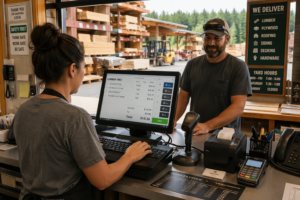
Best ERP Software for Hardware & Lumber: Key Features to Consider
Complete Buyer’s Guide for Independent Dealers, Lumber Yards, and Building Supply Businesses
Most hardware stores and lumber dealers are still running their business on systems designed decades ago. For years, that worked—but today, the industry has changed.
Supplier integrations, real-time inventory visibility, contractor pricing, eCommerce, and tighter margins have transformed how dealers operate. Your ERP is no longer just back-office software—it is the operational backbone of your business.
If you are evaluating the best ERP software for hardware & lumber, this guide walks you through what actually matters, what systems are common in the industry, and how to make the right decision for your operation.
Why ERP Is Now Critical for Hardware & Lumber Dealers
Running a hardware or lumber business today requires more than basic inventory and accounting.
- Sales and front counter operations
- Inventory across yards and locations
- Supplier purchasing and pricing
- Financial reporting and margins
Without an integrated system, businesses often struggle with inventory inaccuracies, pricing inconsistencies, delayed reporting, and manual workarounds across multiple systems.
Key Pressure Points:
- Orgill / Do it Best integration requirements
- Complex contractor pricing
- Multi-location inventory visibility
- Margin pressure from competition
- Lack of real-time reporting
What Makes ERP Different for Hardware & Lumber Businesses
Hardware and lumber operations are fundamentally different from general retail. To be the best ERP software for hardware & lumber the software needs to do more than just ring sales. Fundamental business accounting software needs to be included, and you don’t want to be bolting on 3rd party software just to manage sales taxes. You don’t want to use some synchronization mobile app that only lets you run part of your software from other locations.
You are not managing fixed products with simple pricing—you are dealing with variable-length items, multiple units of measure, contractor accounts, and supplier-driven inventory.
A single item may be sold by piece, bundle, board foot, or weight—with pricing that changes based on customer, contract, and volume.
This complexity requires a system built for how your business actually works—not a generic retail or accounting solution.
Core ERP Requirements for Hardware & Lumber Dealers
Inventory Complexity
Your system must handle multiple units of measure, real-time inventory across locations, and tracking of materials like lumber, pipe, and bulk items.
Pricing & Customer Accounts
Contractor pricing, tiered discounts, and charge accounts must be automated and consistently enforced.
POS + ERP Integration
The front counter must connect directly to inventory, pricing, and accounting to eliminate errors.
Supplier Integration
Support for supplier catalogs, EDI, and automated purchasing is critical to efficient operations.
End-to-End Workflow
Your system should connect purchasing, inventory, sales, delivery, and invoicing into one unified workflow.
Reporting & Visibility
Real-time dashboards and reporting are essential for making fast, informed decisions.
Top ERP Systems Used by Hardware & Lumber Dealers
Microsoft Dynamics 365 Business Central
- Cloud-based, modern ERP
- Strong reporting and financials
- Highly flexible and extensible
Best for: Dealers focused on modernization and growth
Epicor (Prophet 21, Eclipse, BisTrack)
- Long-standing industry leader
- Deep hardware/lumber functionality
- Strong operational workflows
Best for: Established dealers already using Epicor
ECI Spruce / Rocksolid
- Built for lumber and building supply
- Integrated POS, inventory, and accounting
Best for: Small to mid-sized dealers
POS-Centric Systems
- Strong front-counter functionality
- Limited ERP depth
Best for: Smaller operations (growth limitations possible)
Modern ERP vs Legacy Systems
Modern Systems
- Cloud-based access
- Real-time data visibility
- API integrations
- Automation and workflows
Legacy Systems
- On-premise or outdated platforms
- Manual updates and upgrades
- Limited integrations
- Reliance on workarounds
How to Choose the Best ERP Software for Hardware & Lumber
Step 1: Define Your Requirements
Map your workflows and identify where your current system fails before looking at demos.
Step 2: Evaluate Functional Fit
Ensure the system handles your inventory, pricing, and operations correctly.
Step 3: Evaluate Technical Fit
Consider cloud deployment, integrations, and scalability.
Step 4: Evaluate the Vendor
Look at industry experience, support, and long-term roadmap.
Step 5: Understand Total Cost
Include implementation, customization, support, and upgrades.
Common Mistakes Hardware Dealers Make
- Choosing what they are familiar with instead of what is better
- Underestimating integration complexity
- Ignoring reporting capabilities
- Not planning for growth
Comparing Business Central vs Epicor vs ECI?
If you are actively evaluating ERP systems, high-level summaries are not enough. Each system has meaningful differences in functionality, flexibility, and long-term scalability.
Ready to Evaluate the Right ERP for Your Business?
The right system improves margins, increases visibility, and supports growth. The wrong one creates long-term operational friction.