Hardware Store POS Comparison: Business Central vs Epicor, Paladin, ECI Spruce & Generic POS
Choosing a point of sale system for a hardware store is not the same as choosing a basic retail cash register. Independent hardware stores, lumberyards, and building material dealers need checkout speed, but they also need accurate inventory, supplier purchasing, contractor accounts, accounts receivable, quote-to-order workflows, special orders, and accounting that all work together.
That is why a practical Hardware Store POS Comparison should look beyond the front counter. The right question is not simply, “Which POS scans barcodes?” The better question is, “Which system helps run the entire business?”
Want the full side-by-side comparison? Review the complete Hardware Store POS Comparison from System Solutions LLC.
Why Hardware Stores Need More Than a Generic POS
Generic POS systems can be useful for simple retail checkout. Many can process credit cards, scan barcodes, track basic item quantities, and generate standard sales reports. For a small shop with straightforward inventory, that may be enough.
Hardware stores and lumber dealers often operate differently. They may manage tens of thousands of SKUs, vendor catalogs, contractor charge accounts, customer-specific pricing, purchase orders, special orders, delivery workflows, seasonal products, and inventory across multiple locations. When those workflows are disconnected from accounting and purchasing, staff spend more time reconciling data instead of serving customers.
What to Compare in a Hardware Store POS System
A useful hardware store POS comparison should include the operational details that matter after the sale is complete. Below are the areas hardware and building supply dealers should review when comparing Business Central, Epicor, Paladin, ECI Spruce, and generic POS options.
- Checkout and barcode scanning: Fast sales entry, item lookup, returns, discounts, and reliable counter workflows.
- Inventory depth: Real-time quantities, item attributes, alternate units of measure, replenishment, cycle counts, and multi-location visibility.
- Purchasing controls: Purchase orders, vendor pricing, receiving, cost updates, and supplier integration.
- Contractor accounts: Charge accounts, job tracking, customer-specific pricing, A/R terms, statements, and invoice history.
- Quotes, orders, and invoices: The ability to move from quote to sales order to invoice without losing detail.
- Accounting integration: Native or tightly integrated general ledger, receivables, payables, tax, and bank reconciliation.
- Scalability: Support for multiple stores, more users, more inventory, eCommerce, mobile workflows, and reporting growth.
- Microsoft ecosystem fit: Integration with Microsoft 365, Excel, Outlook, Teams, Power BI, and Copilot capabilities where appropriate.
Business Central vs Traditional Hardware POS
Traditional hardware POS platforms such as Epicor, Paladin, and ECI Spruce are well known in the industry. They are often evaluated because they are associated with hardware retail, building supply, or contractor sales workflows. For some businesses, an industry-specific POS may be the familiar path.
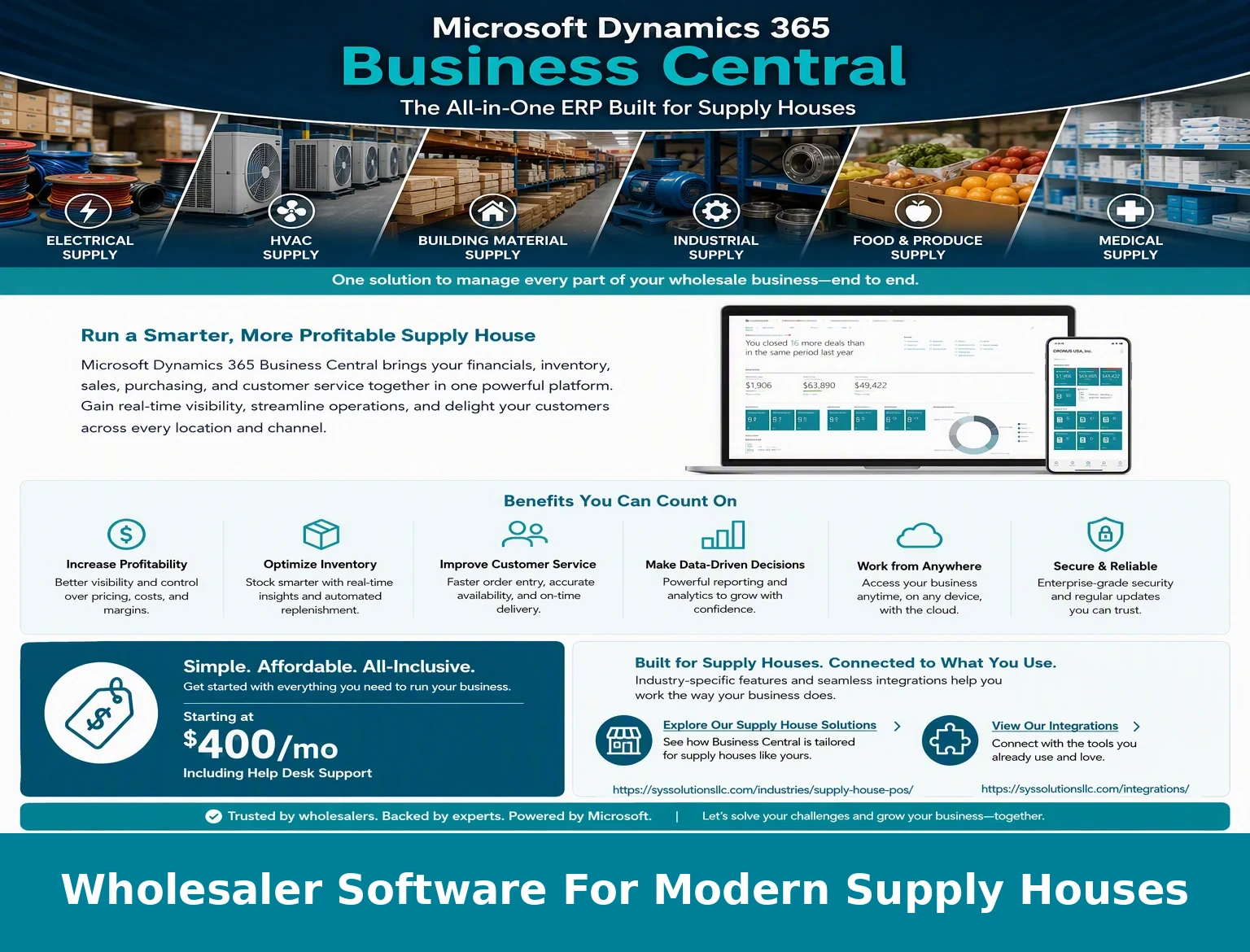
Microsoft Dynamics 365 Business Central takes a different approach. Business Central is an ERP and accounting platform first, with the ability to support POS, inventory, purchasing, accounts receivable, reporting, and integrations as part of a broader business system. For dealers that want one connected platform instead of a separate POS, accounting package, purchasing tool, and spreadsheet process, that difference can be important.
| Comparison Area | Generic POS | Hardware-Focused POS | Business Central with POS |
|---|---|---|---|
| Best fit | Simple retail checkout | Hardware retail workflows | Connected POS, ERP, accounting, inventory, purchasing, and reporting |
| Accounting | Usually separate | Varies by product and configuration | Native Business Central financial management |
| Purchasing | Limited or add-on | Often stronger than generic POS | Native purchase orders, receiving, vendor management, and cost tracking |
| Contractor accounts | Often limited | Common in industry systems | Customer accounts, invoices, credit terms, statements, and sales history |
| Reporting | POS sales reports | Industry-focused reports | Business-wide reporting across sales, inventory, purchasing, and finance |
| Long-term flexibility | Best for smaller needs | Depends on platform and integrations | Strong fit for businesses that want ERP scalability and Microsoft ecosystem integration |
When Business Central May Be the Better Long-Term POS Platform
Business Central may be a strong fit when a hardware store is trying to reduce disconnected systems. If sales, purchasing, receiving, inventory, customer invoices, payments, and financial reporting are spread across multiple products, the business can lose visibility. Staff may need to enter the same information more than once, managers may question whether inventory is accurate, and accounting may spend extra time reconciling data.
With Business Central, the focus is on a single business platform. POS activity can feed into the same system that manages items, customers, vendors, purchase orders, receivables, payables, and financial statements. That gives management better visibility into what is selling, what needs to be purchased, what customers owe, and how the business is performing.
When an Industry POS May Still Make Sense
Epicor, Paladin, ECI Spruce, and other industry POS providers can still be valid options, especially for businesses that want a system built around traditional hardware store workflows and are comfortable with that vendor ecosystem. Existing users may also prefer to stay with a familiar system if it meets their operational needs and does not create accounting or integration problems.
The key is to compare based on the business process, not just the POS screen. A system that looks good at checkout may still create extra work if purchasing, inventory, reporting, and accounting require separate tools or manual reconciliation.
The Bottom Line
The best hardware store POS system depends on how the business operates. A generic POS may work for simple checkout. A traditional hardware POS may work for stores that want industry-specific features. But for hardware stores, lumberyards, and building material dealers that want POS, ERP, purchasing, inventory, contractor accounts, and accounting in one connected platform, Microsoft Dynamics 365 Business Central deserves a serious comparison.
Compare Your Current POS to Business Central
System Solutions LLC helps hardware stores, lumberyards, and building material suppliers evaluate whether Business Central with embedded POS is a better long-term fit than Epicor, Paladin, ECI Spruce, or a generic POS system.
View the Hardware Store POS ComparisonNeed Help Choosing the Right POS Path?
If your current POS is limiting your purchasing, inventory accuracy, accounting visibility, reporting, or contractor account workflows, it may be time to look beyond the cash register. A complete Hardware Store POS Comparison can help you decide whether to stay with a traditional POS platform or move toward a fully integrated Business Central solution.